


Verkos Reports
drone operations · AI report generation · enterprise security · FlytBase
AI powered automated security report generation
Verkos Reports turns a night's drone patrol into a stakeholder-ready PDF before the pilot finishes their coffee. The AI already detected what mattered mid-flight — my job was building the layer that knows what those detections mean. Designed and shipped as production code.
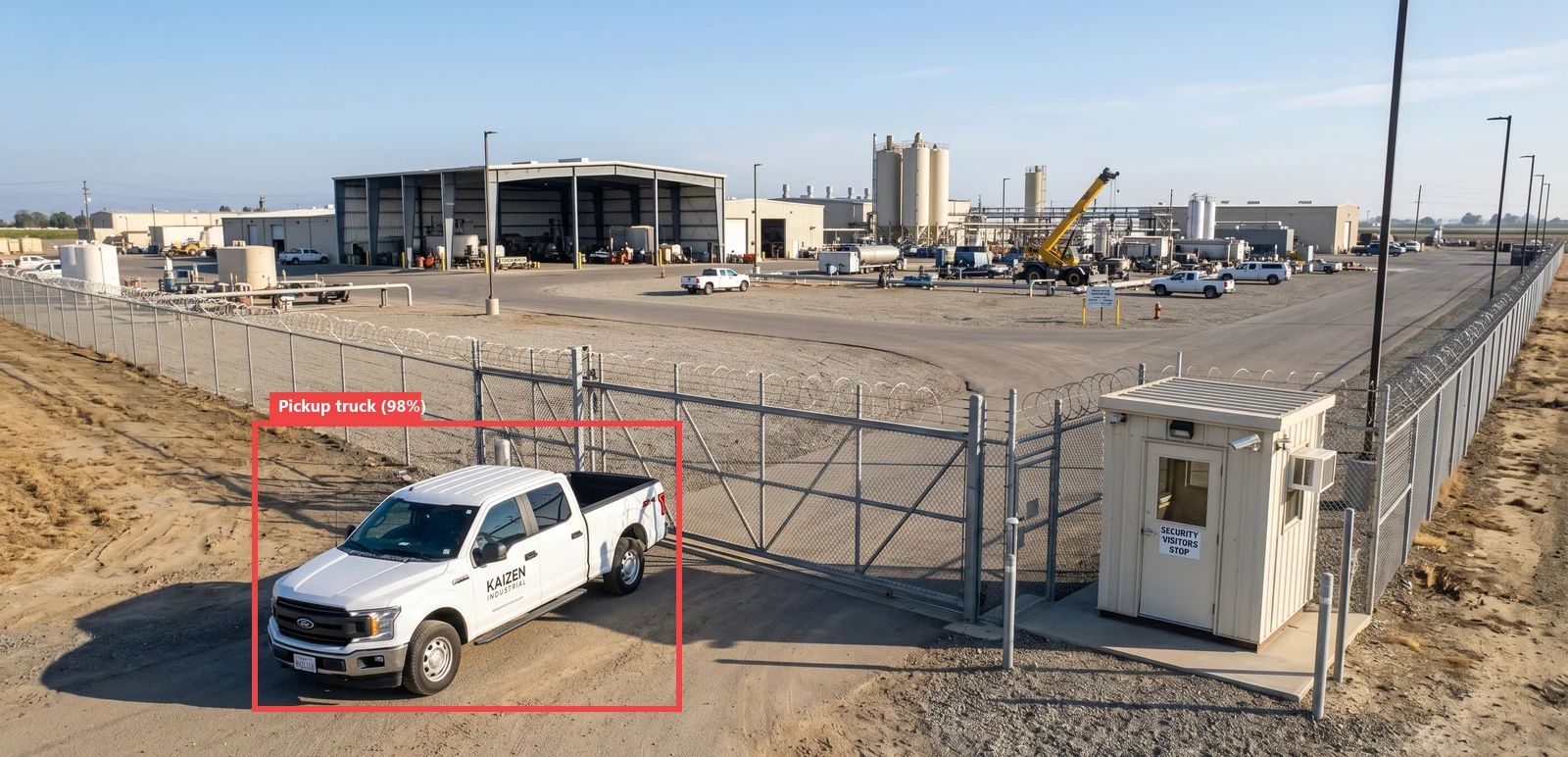
The AI already detected what mattered mid-flight — my job was building the layer that knows what those detections mean.
Enterprise security customers don't pay for drone flights. They pay for the report.
Flytbase had its own proprietary AI detection agents called Verkos Detect Anything Agents (DAA).
Before this project, every report was created manually. After landing, the pilot would spend hours working through a four-step workflow: draw an annotation, add a title, write an observation, and repeat. Sometimes across 187 images, long after the patrol itself had finished. The drone wasn't the bottleneck anymore. The pilot was.
Note: Due to client confidentiality and security requirements, the UI shown throughout this case study is a conceptual recreation of the shipped product. The underlying product decisions, workflows, and technical implementation remain unchanged.
The pilot was doing by hand, at 2am, work the AI can complete in the air.
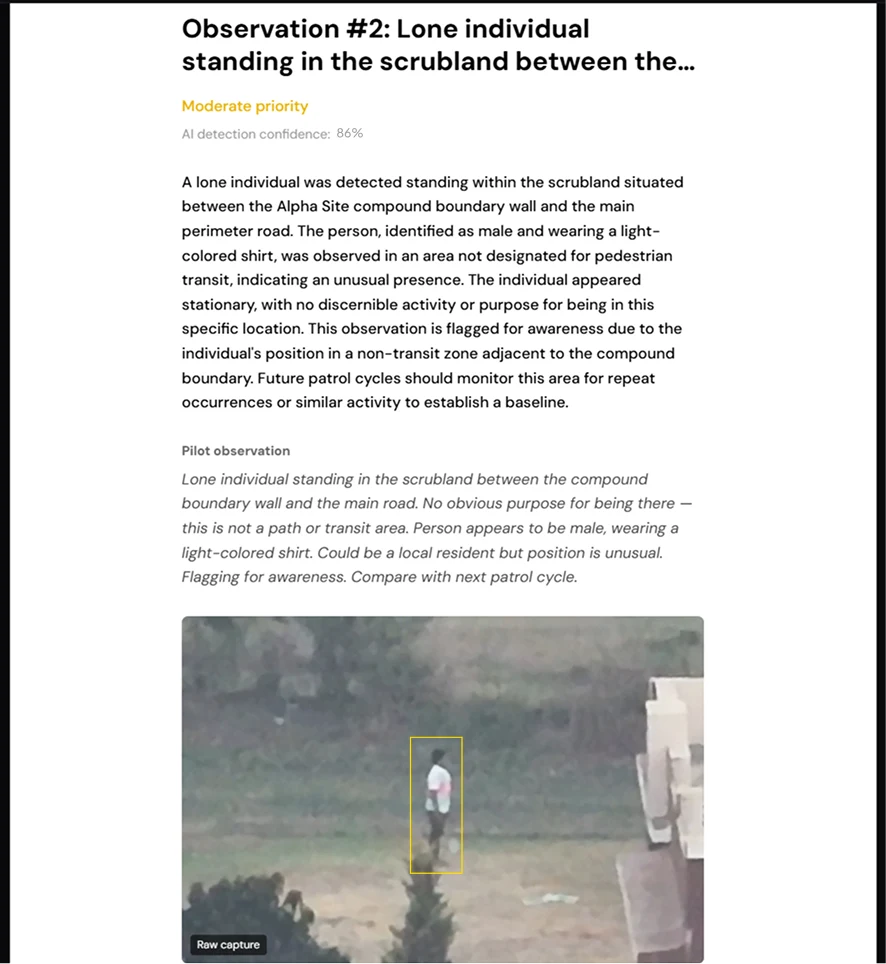
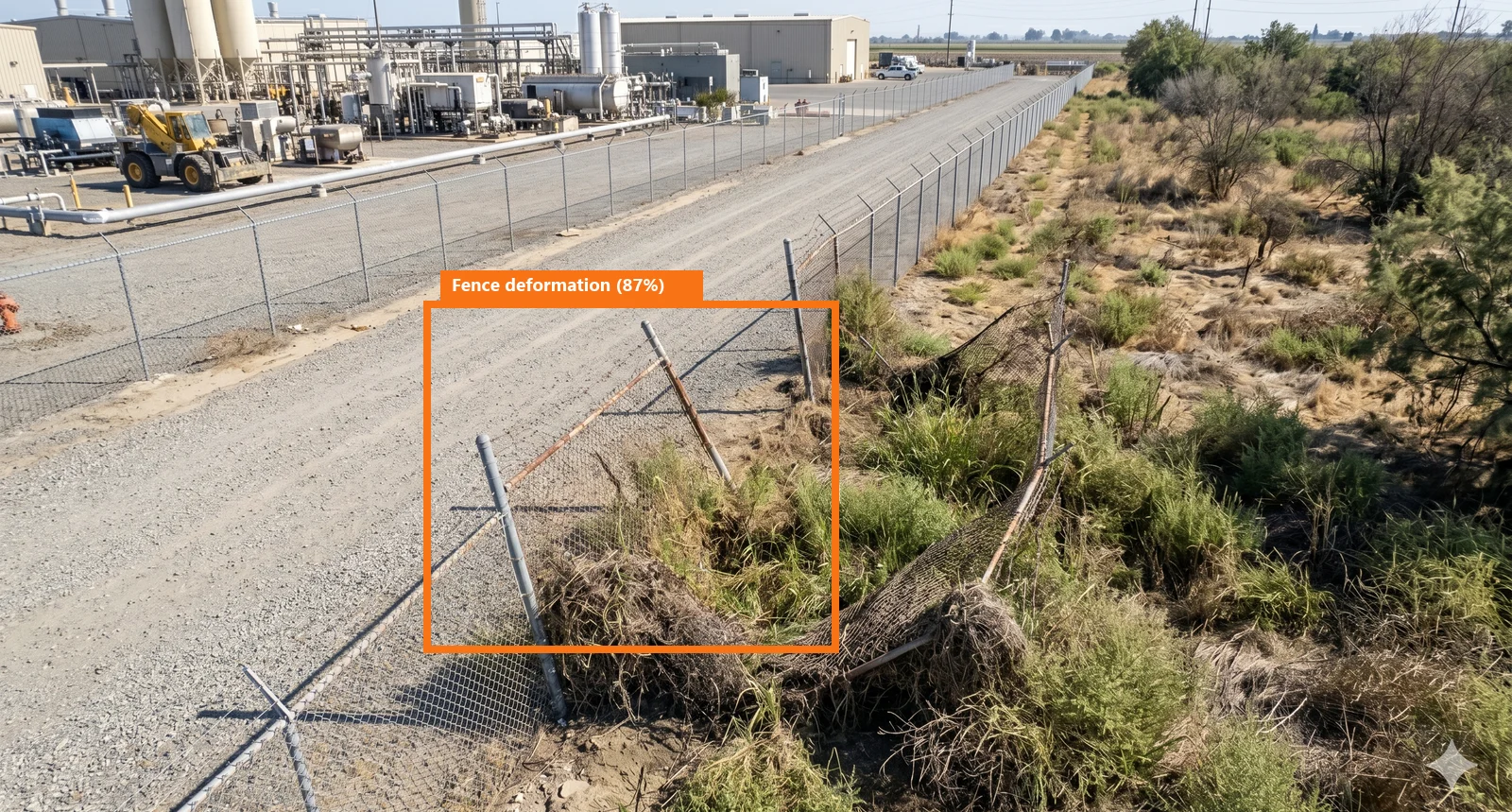
The platform could identify incidents in real time, but every finding still had to be manually reconstructed into a report after the flight.
Is a white van on the perimeter road a breach, or the 6pm traffic that's there every evening? The pixels cannot answer that. The answer lives in three places the camera never sees: what's normal at this site, what this patrol was dispatched to look for, and what the pilot noticed that no configured event type covers.
We needed to find a way to put human context + AI detections together with site context and knowledge to combine all these data points into a meaningful report.
Designing a pipeline, not a screen.
Most of the design work happened before an interface existed. The artifact wasn't a wireframe — it was the flow of data, and the decision about where judgment enters it.
We had to create a report making flow that let's the pilot create comprehensive reports easily without much manual effort after the flight has happened.
Before designing anything new, I audited what already existed. This is basic UX hygiene, but it's also where the builder dimension starts adding value: I wasn't just auditing the interface, I was auditing the data.
The FlytBase platform already had everything the raw material needed: drone flights, captured media, and Forensic Search — a VLM you query in plain text to detect anything in the footage. The intelligence existed. Nobody had turned it into a report.
Report creation was fully manual: a pilot on a night shift working a wizard, drawing annotation rectangles on 187 images, typing a title and description for each. It duplicated, by hand and hours late, work the AI had already done in the air.
The opportunity was clear: take the detections Forensic Search already produces, combine them with what the site is, what the patrol was looking for, and what the pilot noticed — and let a model write the report a human only has to review.
Then I had to start building the code architecture.
How would the report get its detections? Where do they come from?
Running my own vision model over every image at report time would re-derive what the platform already knows — 187 images per patrol, every night, every site, and cost per image forever.
After working through the options with Claude, the conclusion was to keep vision upstream: my product sends text queries to FlytBase's Forensic Search and receives structured detections back such as bounding boxes, labels, confidence. I never touch a pixel. Report generation runs on a text model over that structured data, which made the marginal cost of a report negligible.
How would the report know what a detection means?
Forensic Search returns “vehicle, 82%, near perimeter.” True, and useless alone — is that a breach or the 6pm traffic that's there every evening? The image can't answer that.
The conclusion was to make each agent hold named detection policies written in plain English — one authored instruction that serves as both the query sent to Forensic Search and the writing guidance the text model follows. Site context and pilot voice notes captured mid-flight join it, all keyed to one flight ID. A site manager can express “the scrubland by the east wall isn't a transit area” without writing code, and the report cites that policy back when it writes the finding.
Verkos reports needed the drone footage + AI detections + Human in loop (HIL) context to create enriched meaningful reports.
Each of these looked like a shortcut on paper. Each one traded the cheap, familiar option for the one that actually serves the reader who has to act on the report.
01 Detection events needed details for the VLM to fetch bounding boxes
The tempting option:
A checkbox list of supported detection types. Bounded, predictable, easy to validate.
The problem:
Presets rarely account for the variables in the real world. This is why the old report creation was so methodical and manual.
What I chose instead:
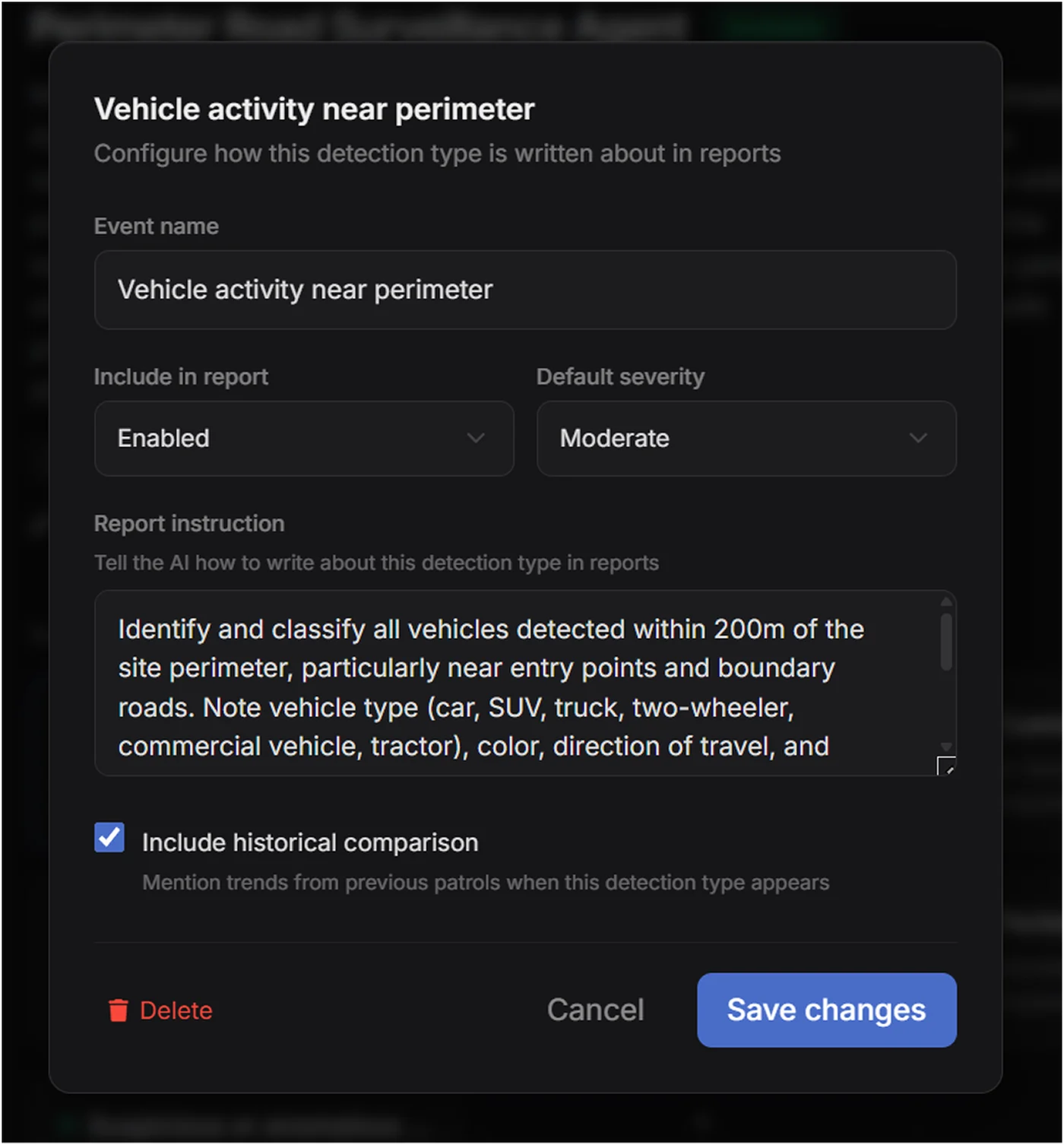
Each Verkos Reports agent already represented a complete reporting workflow. Every agent paired a named detection policy with a human-authored instruction describing exactly what should be identified and how it should be reported. I used those instructions as the source of truth instead of exposing individual detection types.
Why?:
That instruction is doing two jobs at once. It's the query that goes to Forensic Search, and it's the writing guidance the text model follows when it narrates the finding. One authored artifact, both ends of the pipeline.
The instruction became the system's single source of truth. It defined what to search for and how the finding should be described, ensuring the retrieval logic and generated report never drifted apart. Updating an agent meant updating one artifact, not two separate systems.
02 How to configure report structure and contents via editable templates
The tempting option:
A fixed report format. Pick a template, generate, done. One structure the whole company uses — least to build, least to explain, and every report comes out consistent.
What I chose instead:
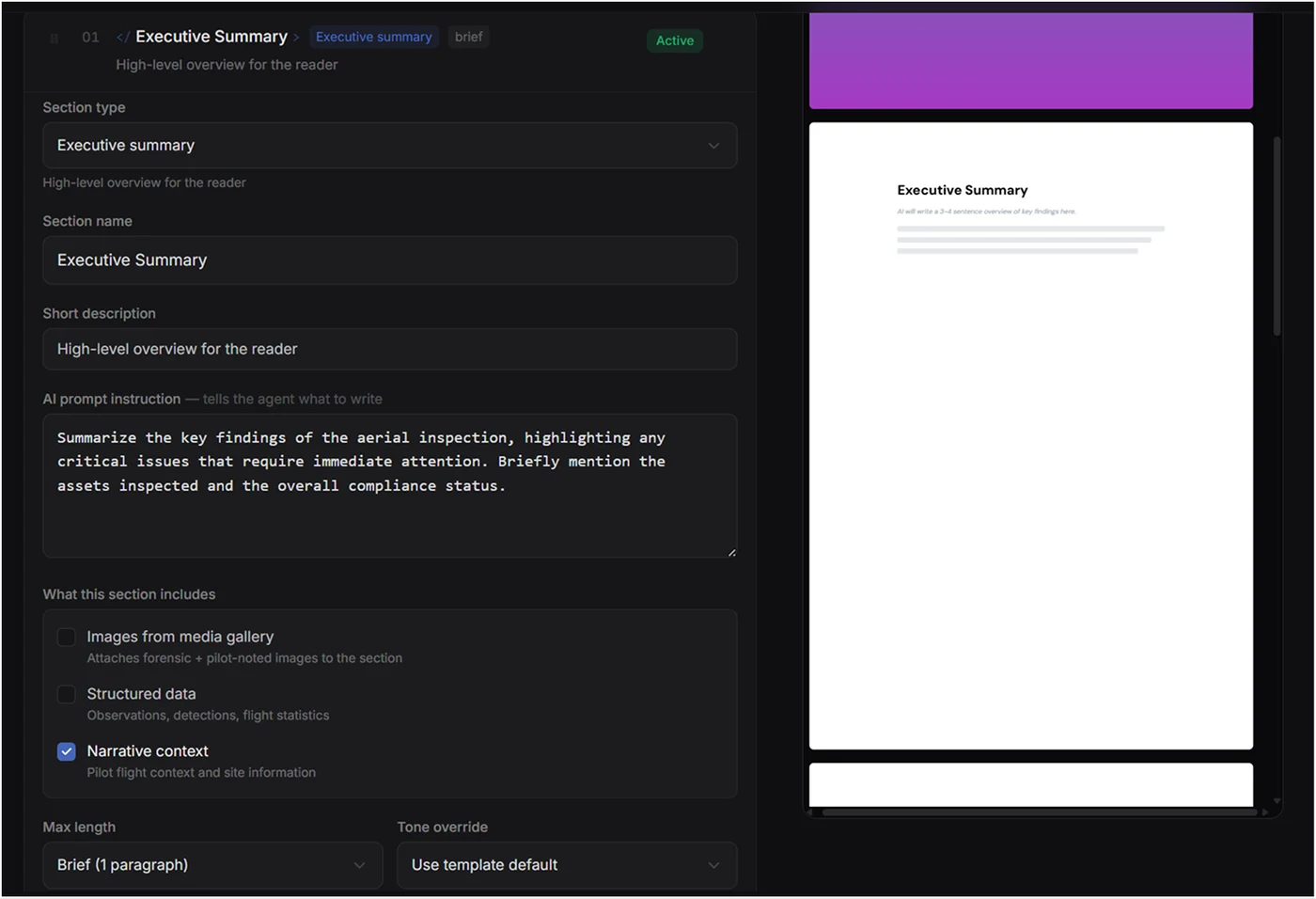
Every section is independently configurable from its title and structure to the data it draws from, its writing style, and level of detail. Behind each section is a plain-language instruction that guides the AI, while a live preview updates instantly as changes are made.
Why I gave it up?:
A fixed format assumes every reader wants the same thing, and they don't. An executive wants a one-paragraph summary; a compliance officer wants the structured detection data; a site manager wants the narrative.
Configurability shifted the report from a static document to a communication tool. Instead of forcing every stakeholder through the same narrative, each section could be tailored to its audience while the underlying evidence remained unchanged. One report, multiple ways of telling the same story.
03 One screen from flight to report.
The tempting option:
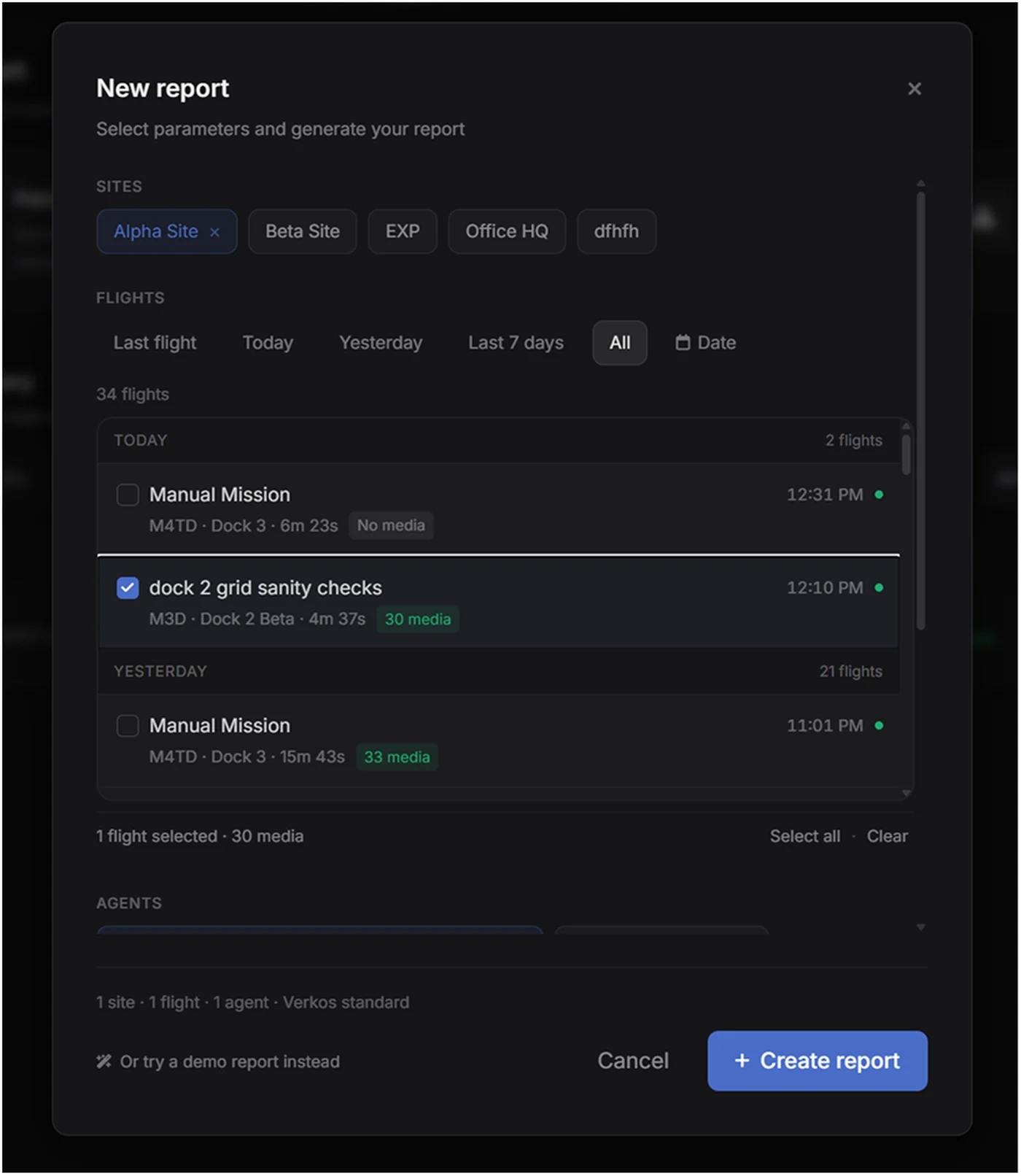
A multi-step wizard. Site, then flights, then agent, then template — one decision per screen. Guided, hard to get wrong.
What I chose instead:
The hand-holding of a step-by-step flow, and the extra screens that make each choice feel considered.
Why I gave it up?:
The pilot does this every shift — they don't need a tutorial, they need speed. Site, flight, agent, all on one surface, with a running summary at the bottom (1 site · 1 flight · 1 agent) so the setup is legible without paging through it.
The wizard was safer for the first-timer. This is faster for the person who lives here — and it's the same principle as everywhere else in my work: design for who's actually in the seat.
Upload a sample report → extract structure & voice → template built.
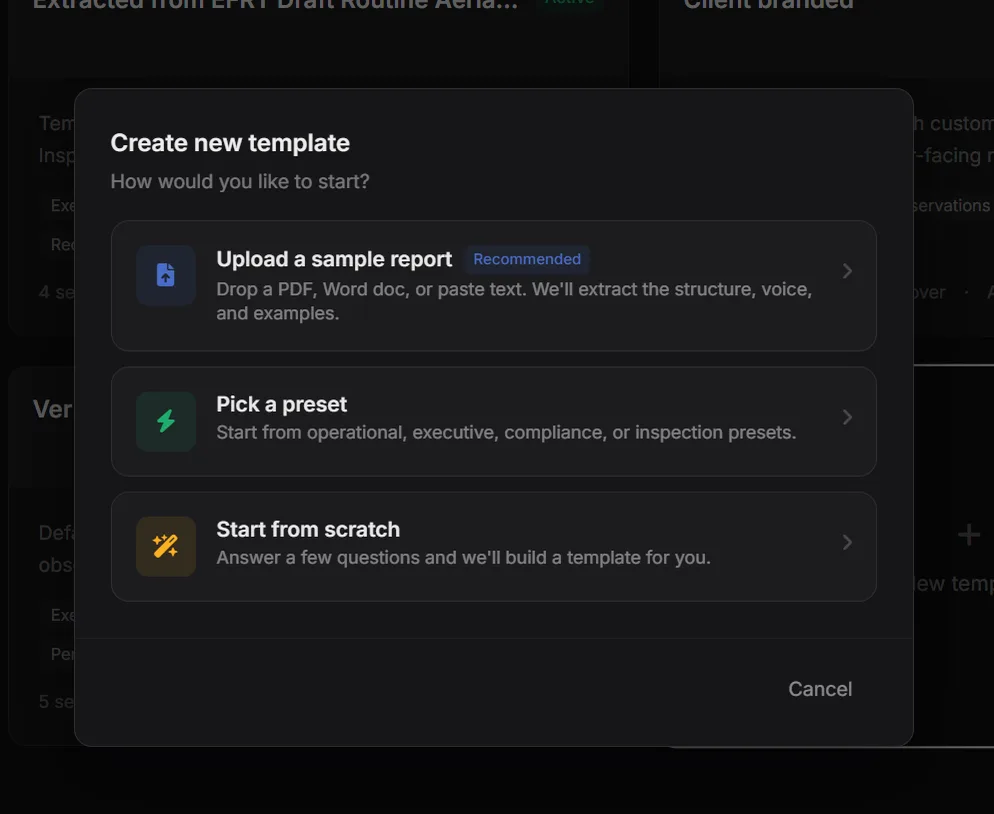
Templates by extraction
Creating a template offers three paths, but the recommended one is Upload a sample report. Drop in a PDF, Word doc, or pasted text, and the system extracts its structure, voice, and examples. Presets and start-from-scratch stay as fallbacks.
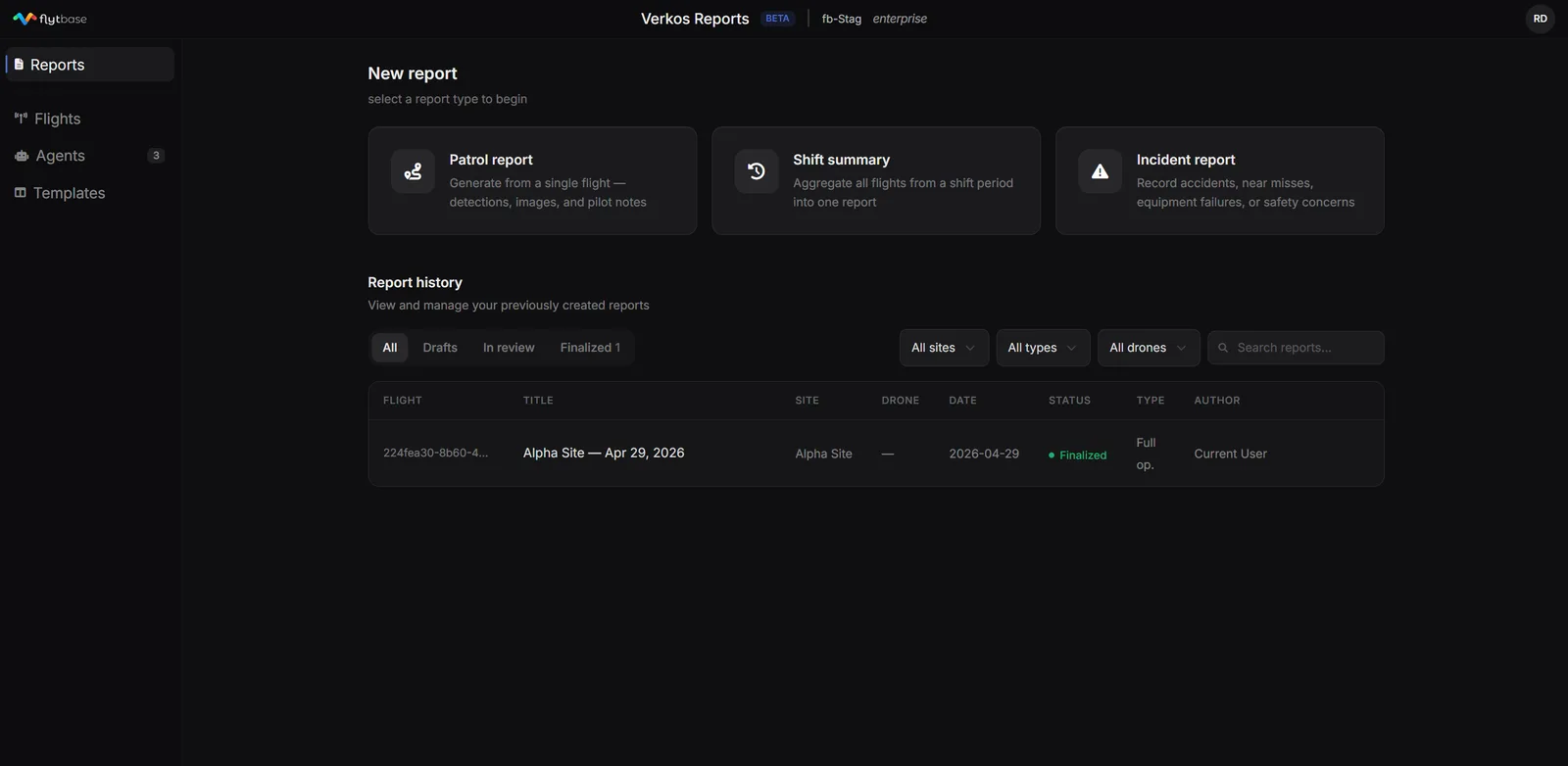
Three report types, because reports answer three different questions.
Patrol · Shift · Incident
The landing screen opens on the choice: Patrol report for a single flight, Shift summary to aggregate every flight across a shift, Incident report for accidents, near-misses, and safety events. Below it, every report ever generated — filterable by site, type, drone, and status.
Land as draft → review each finding → edit severity → publish.
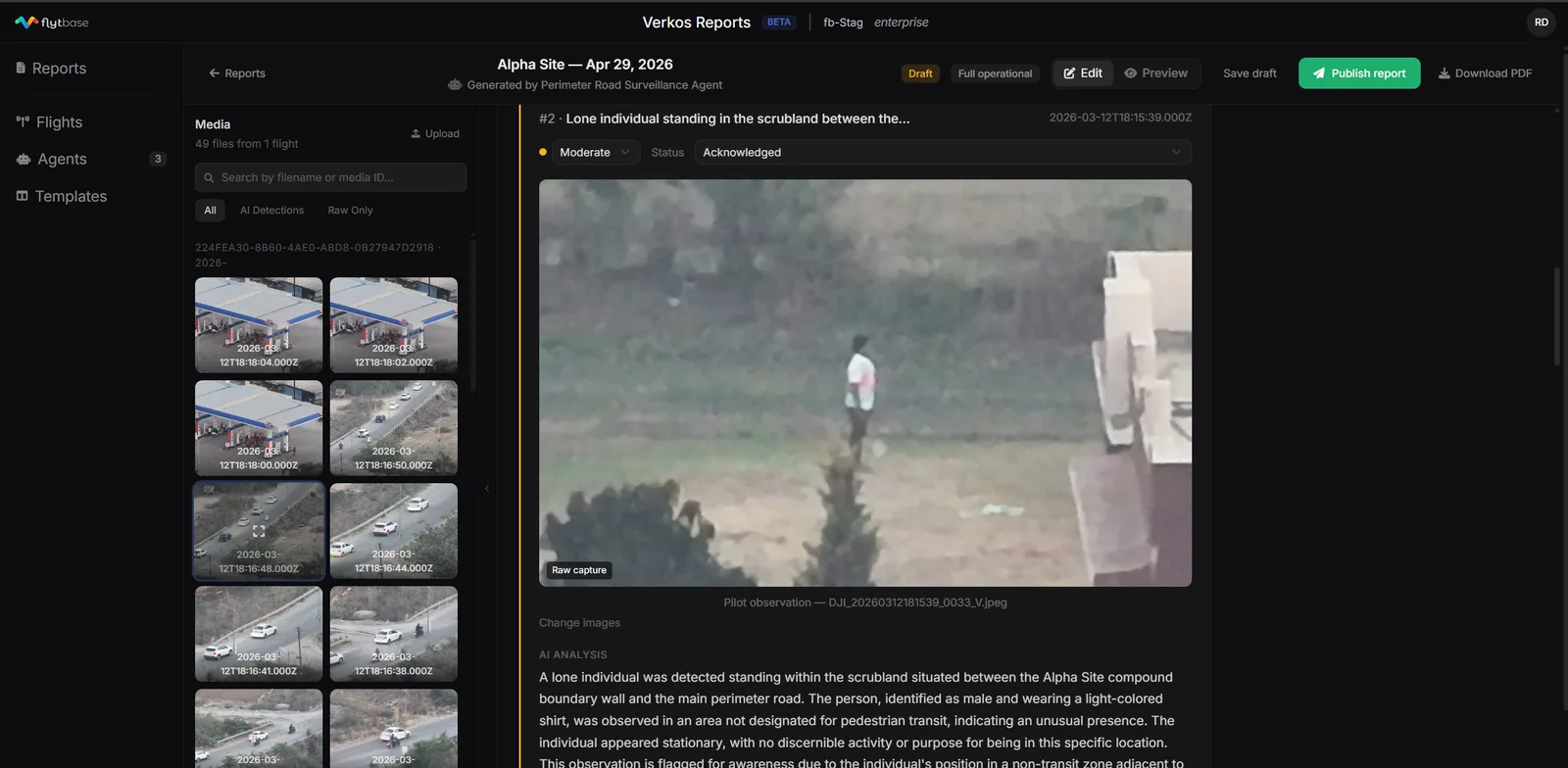
The human stays in the loop
Every report lands as a Draft, never a finished document. The pilot sees each observation with an editable severity and status, the AI's analysis, and the source image — and nothing ships until they hit Publish report. The images are swappable, the narrative is editable, the call is theirs.
Built to sell — the commercial logic I designed for
The deliverable is the thing customers pay for. Enterprise security buyers don't purchase flights — they purchase the compliance artifact that proves the patrol happened and says what it found. I built the layer that produces that artifact, which is the part of the workflow closest to the money.
I designed against the enterprise adoption blocker. The reason a customer won't switch reporting tools is that their compliance team already accepts a specific format. Template-by-extraction turns that blocker into an on-ramp — their existing report becomes the config. That's a deliberate go-to-market decision encoded in a feature.
It was built to be pitched. Verkos shipped as part of the Flink bundle FlytBase took into enterprise pitches across security, oil & gas, and solar — a net-new capability the sales motion could show, not just describe.